|
TimeTechTalk.com > 3T Official Brand Forums > Benarus Taucheruhren/SteVral > Moray Brushed Dart Dial #40 Checking In !!! |
|
TimeTechTalk.com > 3T Official Brand Forums > Benarus Taucheruhren/SteVral > Moray Brushed Dart Dial #40 Checking In !!! |
| Welcome to 3T! Please take the time to register and join in on the friendly,knowledgeable watch talk.Please note that not all registrations will receive an immediate activation e-mail.Those who do not receive an immediate notification will be activated manually within 48hrs. by an admin. without an e-mail activation url sent to you,you may then sign in using your username and password,if you feel there is a problem please e-mail us at timetechtalk@hotmail.com and include your name and username and we activate your account.Thank You! |
| Moderated by: 3T | ||
| Author | Post | |||||||||
|---|---|---|---|---|---|---|---|---|---|---|
|
MDF 3T WIS 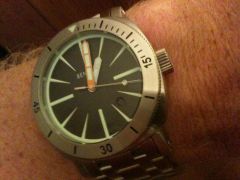
|
Got back into town over the weekend, stopped in to the post office and look what I found...yourock.gif Sorry for the grainy pics and my lack of picture posting experience  Oh well here are the links at least - still can't understand why I'm unable to insert the pictures using [IMG] tag? http://i803.photobucket.com/albums/yKKKforum17/mdf2112/985b305c.jpg http://i803.photobucket.com/albums/yy317/mdf2112/985b305c.jpg Last edited on Wed Aug 26th, 2009 02:49 am by MDF |
|||||||||
|
goldtyson 3T WIS 
|
sorry, but there are no photos. Congratulations on this great watch! |
|||||||||
|
Omarino 3T WIS 
|
No Photo....No Party!!! I joke....Congratulation for your Moray!!! |
|||||||||
|
MDF 3T WIS
|
Thanks - trying to figure out why I can't add Photobucket IMG code ?? Any help on posting pics ? Regards, Mark |
|||||||||
|
DM71 3T WIS 
|
Congrats for your beauty Mark!  For the pic posting problem, since you're using Photobucket to host them, you should be just ok by copying the direct link of the pic from the site. When you drag your mouse on the desired pictures on Photobucket, a window opens underneath the image with different links. Just put your mouse on the DIRECT LINK address box, right click and copy. Then paste that address in the window box that opens when you select INSERT IMAGE icon in your post. Just make sure your pictures are downloaded to Photobucket using a maximum size of 800X600 as indicated in the Time Talk forum under SIZE MATTERS topic. ;) Hope it helps and hope to see some Camera_photos.gisoon! Daniel Last edited on Wed Aug 26th, 2009 09:01 am by DM71 |
|||||||||